On This Page
- Before You Start
- Step 1: Search and Filter the Marketplace
- Step 2: Build a Shortlist
- Step 3: Check Trademarks and History
- Step 4: Choose How to Pay
- Step 5: Complete Checkout
- Step 6: Follow the Transfer
- Step 7: Set Up and Protect Your New Domain
- If Your Name Isn't Listed
- Common Mistakes to Avoid
- Buying on Atom FAQs
Before You Start
A little preparation makes the purchase smoother. Have these ready before you open Atom:
- A rough budget, including whether you'd prefer a payment plan.
- Two or three naming directions, such as "short coined word" or "two-word compound with 'flow' or 'labs'".
- A registrar account, if you want the domain moved outside Atom after purchase.
- Your launch date, so you can leave buffer time for the transfer.
You'll also want an Atom account, which you need for favorites, checkout and the Transfer Center.
Step 1: Search and Filter the Marketplace
Start broad, then narrow. Atom lets you browse by naming style, by more than 100 industries and by extension, and filter by length, keyword and budget. Its budget brackets run from under $2,000 to over $50,000.
Our tip is to filter by industry and budget first, then by length. That way you only see names you could actually buy and use, and you avoid falling for something three times your budget.
If you're stuck for ideas, Atom's name generator suggests options from a keyword and shows matching listed domains. Our name generator guide covers how to get better results from it.
Step 2: Build a Shortlist
Save names you like to your favorites, aiming for five to ten. Then cut the list by saying each name out loud, typing it from memory and imagining it on your product or invoice.
A good shortlist has a mix of styles, so you're not choosing between five versions of the same idea. If you want a structured way to test names, our guide on how to test a brand name walks through quick checks you can do in an afternoon.
Use Track Price on your top picks. You'll get notified if a seller changes the price while you decide.
Step 3: Check Trademarks and History
This step is easy to skip and expensive to get wrong. Domains on Atom don't include a trademark or business registration, so it's on you to check that the name is clear in your industry and country.
- Search the trademark database for your main markets. Our trademark check guide shows how.
- Look at the domain's history in a web archive to spot past spam or a previous business. See checking domain history.
- Check social handles if consistent branding matters to you.
Atom also offers trademark screening and a separate validation and filing service if you want professional help.
Step 4: Choose How to Pay
On the listing, choose between paying in full and a payment plan if one is offered. Plans usually run 6 to 24 months, with some up to 36, and you can use the domain after the first payment.
| Pay in full | Payment plan | |
|---|---|---|
| Use the domain | Once the transfer completes | After the first payment |
| Ownership | Transfers to you right away | Transfers after the final payment |
| Total cost | The listing price | Listing price plus any plan surcharge |
| Cancelling | Refunds only in a narrow window | Possible anytime, but paid installments are kept |
Atom accepts Visa, Mastercard, American Express, PayPal, wire transfer, Escrow.com, BitPay, Amazon Pay and Apple Pay. For five-figure purchases, wire or Escrow.com often avoids card limits. Our payment plans guide explains plan costs in detail.
Step 5: Complete Checkout
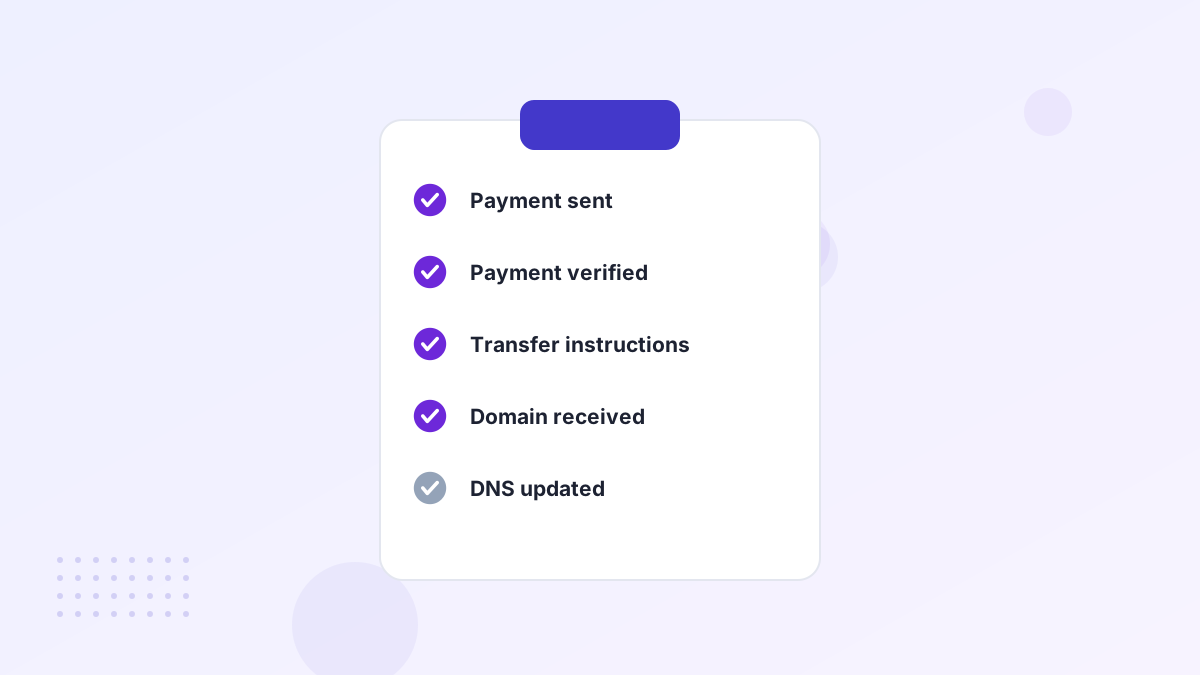
After you pay, Atom verifies the payment. This can take up to a business day, especially for larger amounts or new accounts. You'll then see the purchase in Atom's Domain Transfer Center.
Before you click buy, remember that refunds are limited. Atom only considers change-of-mind refunds in a narrow window before the transfer starts, for one-time payments, and a cancellation fee may apply. Make the decision before checkout, not after.
Step 6: Follow the Transfer
In the Transfer Center, Atom guides you to the best route for that domain. For most names, Atom moves the domain into your Atom account. If that isn't possible, the seller can push it to your account at the same registrar, or you'll receive an authorization code to transfer it to your chosen registrar.
- Tell Atom where the domain should goConfirm your Atom account or give your registrar details if you've chosen an external transfer.
- Wait for the seller's actionThe seller pushes the domain or releases the auth code. This is where most delays happen.
- Accept the domainApprove the incoming transfer or push at your registrar, if prompted.
- Confirm you're in controlCheck that the domain shows in your account and you can edit DNS.
Atom says it initiates most transfers within one business day. Allow extra time if the domain was recently registered or transferred, since a 60-day transfer lock may apply at some registrars. Our Atom transfer guide explains each status.
What If the Transfer Gets Stuck?
Most delays come from the seller's side: an unlocked domain that's still locked, an auth code that hasn't been released, or a registrar that needs a manual push. These are usually fixed within days, not weeks.
- Check your email and spam folder for transfer approval requests from your registrar.
- Look for a 60-day lock if the domain was recently registered or moved. In that case, keeping it in your Atom account until the lock ends is often the simplest path.
- Contact Atom support through your Transfer Center if nothing has moved after a couple of business days.
Remember that Purchase Protection refunds you in full if the domain genuinely can't be transferred, so a delay is frustrating but your money isn't at risk.
Step 7: Set Up and Protect Your New Domain
Once the domain is yours, put it to work and lock it down.
- Point DNS to your website and set up business email. See connecting your domain and business email.
- Turn on auto-renew and keep a valid card on file. The purchase price is one-time, but renewal is yearly.
- Enable registrar lock and two-factor login to protect against hijacking. Our domain protection guide covers the essentials.
Our after-buying checklist puts all of this in order.
If Your Name Isn't Listed
Sometimes the perfect name is registered but not for sale on Atom. You still have options without leaving the platform.
Atom's broker service approaches the owner on your behalf, negotiates and manages the deal, which keeps your identity private. It's worth considering for names where the value justifies a fee, usually several thousand dollars or more. See our Atom broker guide.
If you'd rather have a team generate fresh ideas, Atom's naming contests crowdsource name suggestions from its creative community, and many contest entries come with an available or listed domain. Our naming contest guide explains how they work.
Common Mistakes to Avoid
Buying Before Checking Trademarks
A conflict discovered after purchase is hard to undo, and refunds are limited.
Launching on Transfer Day
Transfers usually move quickly, but give yourself a few days of buffer.
Overstretching on a Plan
Paid installments aren't returned if you cancel, so choose a term you can sustain.
Forgetting Renewal
Turn on auto-renew immediately so a lapsed card doesn't cost you the name.
Buying on Atom FAQs
Do you need an account to buy on Atom?
Yes. You need an Atom account to check out, save favorites and use the Domain Transfer Center.
How long does it take to get a domain from Atom?
Payment verification can take up to a business day, and Atom says it initiates most transfers within one business day. Many complete within hours.
Can you make an offer instead of paying the listed price?
On some listings, yes. Others are fixed-price. The listing shows which options are available.
Can you keep the domain at Atom?
Yes. For most domains, Atom moves the name into your Atom account, and you can manage DNS and renewals there or transfer it out later.